
Fart Together Online: Join Friends and Start a Raft
Play Fart Together online through Roblox, check friend-joining permissions, follow the raft start flow, and separate connection issues from control issues.
On this page
- Enter the correct online experience
- Join a friend using Roblox's platform permissions
- Distinguish a server from a raft
- Follow the course flow with a shared intention
- Recognize a loading problem before changing controls
- Use symptom-based help for lag
- Keep cross-platform claims within their evidence
- Do not confuse online help with an unofficial package
- Know what the research does not promise
- Sources
Enter the correct online experience
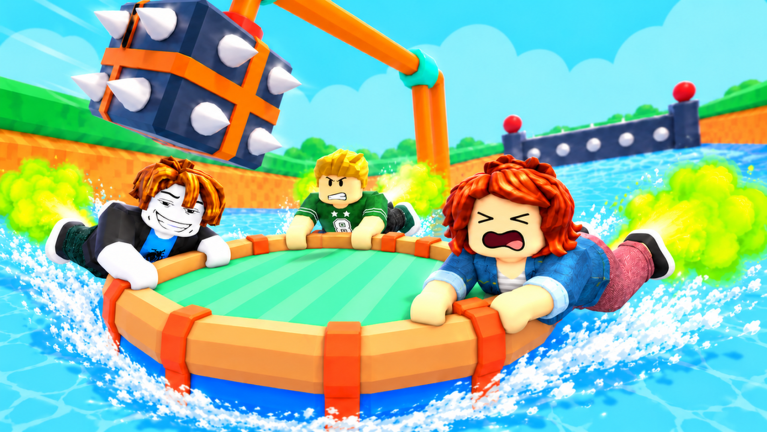
Use the official Roblox game page to identify Fart Together by fart with friends. The page is associated with place 123931542300224, which separates it from other games sharing the same title. Online instructions for a Steam demo or a different Roblox creator should not be treated as instructions for this experience.
The official description emphasizes playing obstacle courses with friends and using propulsion timing to steer and boost. The supplied research adds a raft boarding flow and reported controls on several devices. Those descriptions explain what players are trying to do together, but they do not establish a universal matchmaking method or a guaranteed route into a particular server.
Join a friend using Roblox's platform permissions
Roblox's official joining article explains that a friend's profile can display a Join Experience option when the person is playing and permits joining. The player trying to join must also have permission to enter that experience. The existence of a friendship or a public profile alone should therefore not be rewritten as a promise that a Join action will always be available.
If the option is missing, inspect the platform's displayed access information before treating it as a game-control bug. A joining restriction, a failed launch, and difficulty steering after entry are different observations. This page does not claim that an unofficial server address, external launcher, or modified client is required to resolve them.
Distinguish a server from a raft
The official Roblox API response checked for this experience lists a maximum server size of 18. That field identifies server capacity and does not establish the maximum occupants of one raft. It also does not prove that every friend who enters an experience independently will appear together at the same boarding location.
Once you have joined the intended session, check the actual in-game boarding state. The researched instructions say to step onto a boarding pad, let the leader press START, and use EXIT when leaving the raft. Those are later actions than joining Roblox, so a person can reach the online experience without having started the same course run as the rest of the group.
Follow the course flow with a shared intention
The game's core description makes timing and direction part of moving through obstacles with friends. That gives the group a clear subject to coordinate: which direction to take and when to initiate movement. Agreeing on the next action is an editorial practice suggestion, not a documented team-bonus system or proof of a required voice-chat feature.
Use the reported inputs for the device you actually have rather than assuming the entire group uses keyboard controls. For PC, the research lists directional keys and Space, while other platforms have their own described actions. Our controls guide and device pages keep that mapping question separate from the online joining process.
Recognize a loading problem before changing controls
Roblox's connection article describes examples such as an experience failing to load or a loading screen that does not finish. It also lists several possible categories of cause, including connection conditions and problems inside an experience. Those are general platform explanations, not a diagnosis of this specific game session or a guarantee that one change fixes every problem.
Record the stage where the problem occurs and any message shown to you. If the experience never opens, a raft steering technique cannot be the immediate answer. If the experience opens and the course is visible, first describe what action is delayed or missing rather than labeling the whole issue a download failure.
Use symptom-based help for lag
Roblox's lag article distinguishes connection-related delay from choppy rendering and pressure from other applications. Those distinctions are useful for describing what you see without inventing a game-specific performance rule. A failure to pass an obstacle is not, by itself, evidence that any one of those platform problems is happening.
For the course itself, compare the intended movement with the group's actions and the controls displayed in the current session. For a persistent technical issue, use the relevant official support path for your device. The research does not provide a universal graphics setting, a tested network threshold for this course, or a numerical boost delay that guarantees success.
Keep cross-platform claims within their evidence
The researched experience listing reports PC, mobile, PlayStation, and Xbox inputs. Platform documentation also describes ways for Roblox users to join supported experiences across devices. Neither statement is equivalent to an independent test of every device pairing in this particular game.
If your group mixes platforms, each player should first establish that the experience is available to their account and device. Then use the joining method actually offered by Roblox and confirm the in-game session before boarding. Complete game-specific cross-platform compatibility remains Pending confirmation (待确认), rather than being inferred from the presence of a controller mapping.
Do not confuse online help with an unofficial package
A search for online play can surface pages labeled online fix or pages offering a separate game download. The source set reviewed here does not verify a game-specific repair package for this Roblox experience. It also does not establish that installing another version transfers progress, opens a restricted session, or changes checkpoint behavior.
Use the download guide for the official platform route and the beginner guide for what happens after the experience opens. For actual hazard movement, continue with the obstacles guide. Keeping those tasks separate gives a more useful answer than attaching an unverified file to every online problem.
Know what the research does not promise
Permanent checkpoint saving, a complete raft-capacity specification, and a guaranteed private-session arrangement have not been established by the reviewed descriptions. The sources also do not identify a required Discord server or an active redemption code for entering an online run. Those claims should remain unverified until matching creator information or direct in-game evidence supports them.
If you ask for technical help, describe the device, the visible error, and the exact step where joining or loading stops. Roblox Support requests this kind of detail because a reproducible description narrows the question. Avoid turning an absence of information into a confident claim that the game is offline, removed, free forever, or unavailable on an entire platform.
Sources
The official Roblox experience and official game API identify the game and server field. Roblox's friend-joining guidance, connection help, and lag article support the platform distinctions. The supplied research and corresponding Medal description provide the reported raft flow, without establishing a hands-on compatibility test or a dedicated repair download.
Related pages
Fart Together Guide: Raft Controls and First Run
Use this Fart Together guide to learn Roblox raft controls, boarding, teamwork, obstacles, and checkpoints, with clear notes on what remains unverified.
Fart Together — Controls Guide
Learn the researched inputs for PC, mobile, PlayStation, and Xbox.
Fart Together Game Download: Official Roblox Setup
Use the Fart Together game download guide to find the official Roblox experience, choose the right platform app, and avoid confusing it with another game.