
Fart Together Game Download: Official Roblox Setup
Use the Fart Together game download guide to find the official Roblox experience, choose the right platform app, and avoid confusing it with another game.
On this page
- Identify what you are downloading
- Start from the official experience page
- Use Roblox Player on a supported computer
- Check the platform path for your device
- Understand the Mac and iOS distinctions
- Keep download, access, and price separate
- Know what happens after a successful launch
- Handle problems without inventing a repair package
- Sources and remaining confirmations
Identify what you are downloading
The official Roblox listing identifies this Fart Together as an experience created by fart with friends. The game runs within the Roblox platform rather than being established by this research as a separate downloadable product. That is the key distinction behind a search for a Fart Together game download on a computer, phone, or console.
Search results can also point to another product with the same title. A Steam store page, a desktop demo, or a console controller claim from that product cannot be used as the installer for this Roblox experience. Before following a setup guide, check the creator and the official Roblox address instead of relying on the name alone.
Start from the official experience page
The verified page uses place 123931542300224 and is linked at the end of this article. Open that page to identify the experience you want to enter and read its current access information. The creator name and address are more reliable identity checks than a file name, a copied logo, or a search result's wording.
The official page is also useful when sharing the game with friends on different devices. It identifies the intended destination without claiming that every recipient's hardware or account can enter it. If someone sees an access message, resolve that message through the platform rather than assuming a differently packaged download bypasses the restriction.
Use Roblox Player on a supported computer
Roblox's desktop installation instructions describe signing into the website, opening an experience, and choosing Play. The website can then initiate the official player installation or ask to open the installed player. A browser prompt selecting Roblox is part of that platform launch flow, not an invitation to choose an unrelated game executable.
The installation article distinguishes the playing application from Roblox Studio, which is used for creating experiences. You do not need to build the game or open its source to follow the normal Play route. If the desktop player is already installed, the question becomes launching the correct experience rather than collecting another copy of a similarly named installer.
Check the platform path for your device
On phones and tablets, Roblox's mobile guidance describes using the platform app to search for an experience and opening its details. On PlayStation, the official support material directs users to Roblox through the console's store and library. Xbox has its own Roblox app and experience browsing flow, so a computer's browser dialog should not be described as a universal console instruction.
For device-specific questions, use the mobile guide, PS5 guide, or Xbox guide. These pages separate platform availability from a complete compatibility test of this game. The existence of a platform app does not guarantee that every Roblox experience is published for every account, device, or region.
Understand the Mac and iOS distinctions
A Mac installation question belongs to Roblox's supported computer player and browser launch flow. An iPhone or iPad question belongs to the mobile platform app and its device requirements. They are different routes even though both devices are made by Apple and both can display the same Roblox web page.
Use the Mac guide or iOS guide for those platform details. No source reviewed for this article verifies a separate official Fart Together Mac application or an independent iPhone edition. A package claiming either status needs creator evidence before it can replace the official Roblox setup path.
Keep download, access, and price separate
Installing the platform does not establish whether an individual experience is available to a particular account. It also does not establish a price for that experience or for any optional purchases inside it. The checked official game API returned a null price field, which supplies no numerical price to quote.
For that reason, this page does not advertise a free paid unlock, a discounted activation key, or a permanent all-content price. Use the current official interface if it presents a transaction and read what that transaction covers. The price guide explains the difference between entry, optional purchases, and a missing price value without inventing a game-pass catalog.
Know what happens after a successful launch
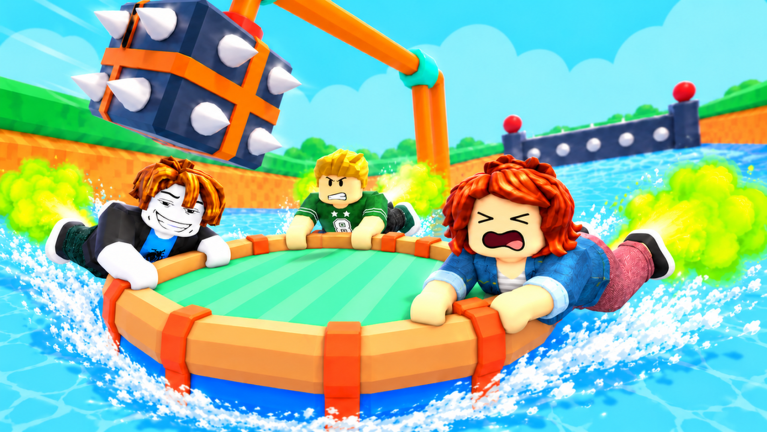
The researched description says that players step onto a boarding pad to join a raft, after which the leader can use START. It also describes EXIT for leaving the raft and steering or propulsion controls for several devices. These are game actions after entry, so they should not be confused with downloading the platform or opening the experience page.
If you have reached a raft, return to the beginner guide instead of looking for another installer to start the course. If your friend is elsewhere, check the joining flow before assuming everyone who pressed Play reached the same place. A successful download alone does not prove that the group is in the same session or on the same raft.
Handle problems without inventing a repair package
Roblox's connection support describes several reasons that an experience might fail to load, including network conditions and problems within an experience. Those categories are useful for reporting a symptom but do not diagnose a device or game session we have not observed. Write down what failed, what message appeared, and which official app or browser you were using.
The research does not verify a dedicated Fart Together repair download, a separate online-fix package, or a modified player required for this Roblox experience. It also does not establish that reinstalling the platform guarantees recovery of a course checkpoint. Use the online guide and official support for connection questions rather than turning an unsupported download into a recommended solution.
Sources and remaining confirmations
The official game page and official game data establish the experience's identity. Roblox's installation guide, mobile search guidance, and connection help explain the relevant platform stages. Exact game-specific download size, complete device compatibility, and any standalone release remain Pending confirmation (待确认), so no unverified file or numerical requirement is supplied here.
Related pages
Fart Together Guide: Raft Controls and First Run
Use this Fart Together guide to learn Roblox raft controls, boarding, teamwork, obstacles, and checkpoints, with clear notes on what remains unverified.
Fart Together — Controls Guide
Learn the researched inputs for PC, mobile, PlayStation, and Xbox.
Fart Together iOS: iPhone Setup and Touch Controls
Check Fart Together iOS access through Roblox, reported touch controls, iPhone and iPad requirements, and the difference between support and a play test.