
Fart Together Game Mobile: Controls and Device Help
Find Fart Together game mobile controls, the official Roblox entry, device requirements, and launch checks without assuming every phone is supported.
On this page
- Use the Roblox experience rather than a separate app claim
- Check the platform requirements on your phone
- Find the correct listing before pressing Play
- Understand the two touch actions
- Board the raft and understand who starts
- Coordinate with friends before difficult sections
- Check lag at the right level
- Do not turn uncertain downloads into recommendations
- Sources and remaining checks
Use the Roblox experience rather than a separate app claim
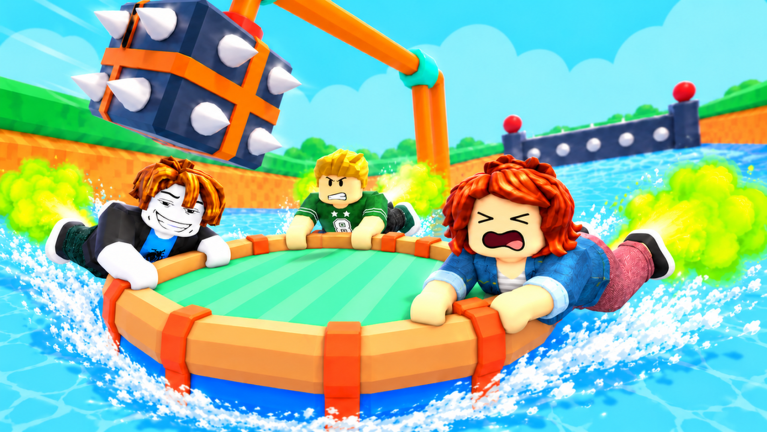
Fart Together by fart with friends is identified by its official Roblox experience page. For mobile players, that identity matters more than a search result that happens to contain the same words. The supplied research describes touch controls for this Roblox game, but it does not establish an official standalone Fart Together phone app.
Roblox's mobile search documentation explains that experiences can be found inside the platform app by title or keyword. After opening an experience's details, the Play action is the platform's entry into it. Use that documented route to distinguish finding the correct game from downloading a differently named package or opening a web page that only discusses it.
Check the platform requirements on your phone
The checked Roblox mobile requirements list iOS 14 or iPadOS 14 and later for Apple devices. For Android, they list Android 8.0 or later and OpenGL ES 3.0 support. These are Roblox platform requirements, not measured minimum specifications published by the creator of this particular obstacle course.
Meeting a platform baseline is not a promise of smooth play in every experience. Roblox's documentation itself notes the variety of Android hardware and the limits of making universal performance assurances. Device-by-device behavior in Fart Together, including a verified minimum phone model or a frame-rate target, remains Pending confirmation (待确认).
Find the correct listing before pressing Play
In the mobile Roblox app, use the experience search flow to find Fart Together, then verify the creator as fart with friends. The official web address uses place 123931542300224 and can help identify the intended result. A matching title without a matching creator is not enough to establish that a listing is the game covered by this wiki.
Read the current experience details and any access message shown by the official app before treating a launch problem as a control problem. This article does not claim that an unavailable listing can be unlocked by sideloading a package or installing a separate repair tool. For the broader installation distinction, see the game download guide.
Understand the two touch actions
The researched mobile instructions specify direction arrows for steering and a fart button for moving. They do not publish the exact screen coordinates of those controls, a sensitivity scale, or a measured boost duration. Follow the controls visible in your current session instead of treating a particular screenshot layout as a guarantee for every phone.
Separate the intended direction from the moment you trigger propulsion. That is a practical way to read the documented actions, rather than a claim about an optimal touch technique. If the raft moves somewhere unexpected, first compare the action you intended with the input you used before assuming there is a special mobile-only physics rule.
Board the raft and understand who starts
The researched game flow says to step onto a boarding pad to join a raft. It assigns START to the leader and provides EXIT for leaving the raft. Those instructions apply after entering the experience, so they should not be confused with the Roblox app's Play button.
This distinction helps when friends reach different stages of the setup process. Someone still searching for the experience has not reached the same point as someone already waiting on a raft. Once everyone is in the intended session, use the beginner guide to follow the documented course flow without inventing a countdown or a required team size.
Coordinate with friends before difficult sections
The official description emphasizes moving through obstacles with friends and timing propulsion to steer and boost. The supplied research also describes cooperation and checkpoints along the course. These facts support discussing shared intentions, but they do not establish a mobile-specific team bonus or a formal role assigned to each player.
Agree on the intended direction when a section becomes confusing, and compare that intention with the movement the group produces. That is a practice suggestion based on the documented cooperative premise, not a tested solution to every obstacle. No source reviewed here provides a universal sequence of taps or a numerical delay that guarantees a clean run.
Check lag at the right level
Roblox's general lag guidance distinguishes network delay, graphics load, and other system resource pressure. Those categories can help describe whether you are seeing delayed actions, choppy visuals, or a broader device slowdown. They do not prove that any one of those causes is responsible for a particular failed raft attempt.
Use the symptoms you can observe rather than applying the same explanation to every problem. A game that fails to open is different from one that opens but is difficult to steer. For account joining and loading questions, the online guide links platform support, while the obstacles guide stays focused on course movement.
Do not turn uncertain downloads into recommendations
The source set does not verify a separate official APK, a phone-specific demo, or a file that repairs this game's controls. The presence of a download button on another website is not evidence that the creator released that package. This page therefore points to the Roblox experience and platform guidance instead of supplying an unverified installer.
Likewise, the research does not establish a price for a mobile edition, a code that unlocks touch controls, or an item required to board a raft. Those details should come from the current official experience interface or a creator announcement before being stated as facts. The price guide explains the difference between an unpublished price field and a confirmed free or paid offer.
Sources and remaining checks
The official Roblox game page and supplied research identify the experience and its movement premise. Roblox's mobile search guide, mobile requirements, and lag help explain platform behavior. The Medal listing supplies reported touch controls, with exact device compatibility and measured performance still pending independent confirmation.
Related pages
Fart Together Guide: Raft Controls and First Run
Use this Fart Together guide to learn Roblox raft controls, boarding, teamwork, obstacles, and checkpoints, with clear notes on what remains unverified.
Fart Together — Controls Guide
Learn the researched inputs for PC, mobile, PlayStation, and Xbox.
Fart Together Game Download: Official Roblox Setup
Use the Fart Together game download guide to find the official Roblox experience, choose the right platform app, and avoid confusing it with another game.