
Fart Together Obstacles: Steering and Checkpoints
Learn how Fart Together obstacles relate to steering, boosts, teamwork, and checkpoints in Roblox, without invented routes, hazard names, or reset rules.
On this page
- What the obstacle description actually confirms
- Set up the run before analyzing a hazard
- Separate the direction from the boost
- Use the current course as the route reference
- Coordinate the group's next movement
- Treat checkpoints as progress markers
- Distinguish a control problem from a connection problem
- Do not import obstacles from a different game
- What remains to be verified
- Sources
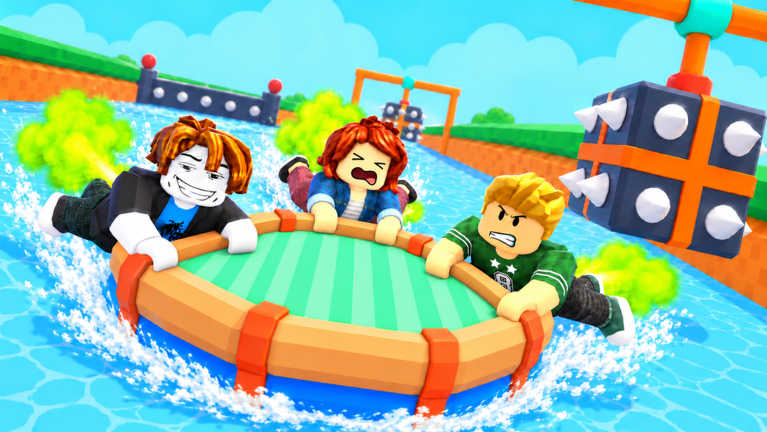
What the obstacle description actually confirms
The official Roblox description makes obstacle courses central to Fart Together. It describes movement as something players control through the timing of their farts, with steering and boosting used to get past obstacles. That supports a guide about movement decisions, but it does not establish the shape, order, or name of every obstacle in the current course.
The corresponding Medal listing adds that players use a raft, reach checkpoints, and work together toward the finish. It is a secondary description of this Roblox experience, not a complete developer-authored walkthrough. We use it to identify the reported control functions while leaving undocumented route details out of the guide.
Set up the run before analyzing a hazard
According to the researched boarding instructions, players join a raft by stepping onto a boarding pad. The leader can use START to begin, and players can leave the raft with EXIT. If someone is still in the lobby or has not boarded, that situation should be distinguished from a failure to steer through an obstacle.
Use the beginner guide if your group is not yet reaching the course together. Establishing that everyone is in the same run makes your observations about movement easier to compare. This does not imply that the game supplies a specific team-ready indicator or that a raft requires a particular number of occupants.
Separate the direction from the boost
The researched PC controls give left and right steering their own inputs and use Space for the fart action. Mobile similarly distinguishes direction arrows from the fart button. The distinction is useful because choosing where to go and initiating movement are separate decisions even when players perform them close together.
Before a difficult section, identify your intended direction and check the control that corresponds to it on your device. Then judge the next movement against that intention rather than assuming that a larger number of boosts is always better. The descriptions do not publish a best burst length, a recharge time, or a force value, so this guide does not assign one.
Use the current course as the route reference
The supplied research recommends lining the raft up before approaching an obstacle and adjusting movement to remain on course. It does not contain a frame-by-frame traversal, a map with coordinates, or a reliable list of safe angles. A practical approach is to base your next decision on the obstacle visible in your current session and the control functions you have already identified.
That is an observation method, not a promise that one input sequence will work for every run. If the raft goes in an unexpected direction, compare the intended input with what the group actually pressed. A changed direction alone does not prove a graphics fault, a server fault, or an undocumented mechanic.
Coordinate the group's next movement
The Roblox description explicitly invites friends to tackle the chaos together. The researched course description also emphasizes teamwork and keeping the raft on course. Those statements justify discussing coordination, but they do not establish a formal captain ability, class system, or bonus for synchronized inputs.
Agreeing on the next intended direction is a reasonable practice suggestion when more than one player contributes movement. Keep that suggestion distinct from a verified scoring rule or a claim about how the physics engine combines inputs. No reviewed source gives the exact formula for multiple players boosting, so numerical explanations of shared force would be speculative.
Treat checkpoints as progress markers
Checkpoint locations are part of the researched description of progressing toward the finish. That is enough to tell a new player to look for and reach them during a run. It is not enough to say that checkpoints save permanently, restore everyone after a failure, or remain available after a player leaves the session.
Those reset and persistence rules are Pending confirmation (待确认). Read any instructions shown by the game before deliberately resetting a character or leaving a raft. A generic Roblox reset control is a platform feature and does not tell us what this experience will do with raft progress afterward.
Distinguish a control problem from a connection problem
A group that cannot agree on a direction has a different question from a player who cannot load the experience at all. The first question concerns reported movement controls and the current run. The second belongs to Roblox's general connection and access guidance, which is addressed in the online guide.
Roblox Support describes slow or unstable connections as one possible cause of delayed actions or other players appearing to jump around. That is general platform guidance rather than evidence that this course has a particular network bug. It also means that a failed attempt should not automatically be labeled a missing checkpoint, a broken boost, or a need for a separate repair download.
Do not import obstacles from a different game
Search results for Fart Together include products outside this Roblox experience. The shared title is not proof that a video, screenshot, or numbered obstacle guide shows the game by fart with friends. Check the creator and the official Roblox address before using a route from another source.
For the same reason, this page does not borrow a Steam game's team size, demo length, or course screenshots. It also does not use obstacle counts from a similarly named Fortnite island. That leaves some questions unanswered, but it prevents a detailed-looking walkthrough from sending players toward a course that is not the one they opened.
What remains to be verified
A complete hazard catalog, named checkpoints, precise reset behavior, and a reproducible best route remain unverified. There is no documented fastest input sequence or measured completion time in the source set used for this article. Those subjects should be added only when matching Roblox evidence or a clearly identified in-game observation supports them.
Until then, the supported foundation is the same: identify the movement inputs, choose a direction, coordinate with the group, and progress through obstacles toward checkpoints. For device-specific bindings, open the controls guide. For entering the correct session with a friend, use the online setup instructions rather than assuming the course itself handles every joining issue.
Sources
The official Roblox experience establishes the core movement and obstacle premise. The Medal experience listing and supplied research provide the reported boarding and checkpoint details. Roblox's lag guidance supplies the general connection distinction, not a game-specific fix.
Related pages
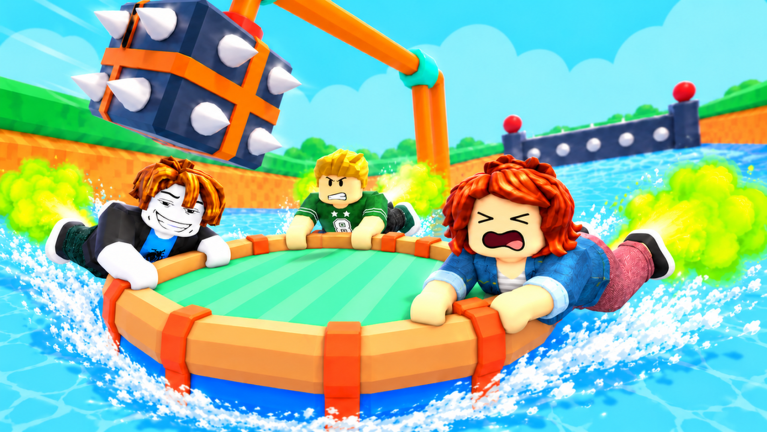
Fart Together Guide: Raft Controls and First Run
Use this Fart Together guide to learn Roblox raft controls, boarding, teamwork, obstacles, and checkpoints, with clear notes on what remains unverified.
Fart Together — Controls Guide
Learn the researched inputs for PC, mobile, PlayStation, and Xbox.
Fart Together Game Download: Official Roblox Setup
Use the Fart Together game download guide to find the official Roblox experience, choose the right platform app, and avoid confusing it with another game.